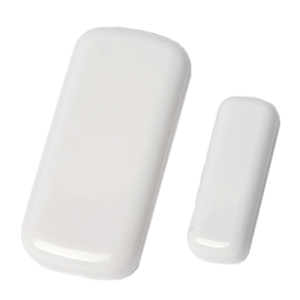
Honeywell 5800MINI
The Honeywell 5800MINI door/window sensor provides all the advantages of Honeywell’s field-proven, quick-install Series wireless devices, with the addition of signal transmission and low-battery LED indicators. It virtually disappears when installed and blends with any décor, making it ideal for applications where aesthetics are critical such as ornate doors, casements, and double-hung windows.
What can we help you with?
5 Articles
Get started with your Honeywell 5800MINI door/window sensor. Find setup guides, battery replacement steps, and troubleshooting tips at Brinks Home.
Learn how to program your Honeywell 5800MINI door or window sensor to the 2GIG GC2 panel. Follow step-by-step instructions to connect your device.
Learn how to easily replace the batteries in your Honeywell 5800MINI door/window contact sensor with this simple guide from Brinks Home.
Learn how to resolve a tamper error on your DSC PG9303 door/window sensor. Follow our step-by-step instructions to clear the alert on your panel.
Learn how to resolve a malfunction on your Honeywell 5800MINI sensor. Find step-by-step troubleshooting instructions at the Brinks Home Help Center.