How to Enroll in Paperless Billing
With paperless billing, you can see your monthly statements online any time and avoid paper statement fees. Here's how to sign up, or switch back to paper, in the Brinks Home™ App or the Customer Portal.
In the Brinks Home App
Sign Up for Paperless Billing
What changes: You'll stop getting paper statements in the mail. Instead, you'll get a monthly email reminder that your bill is ready.
Log in to the Brinks Home App.
Tap the 3 lines in the top left corner to open the menu, then tap My Account.
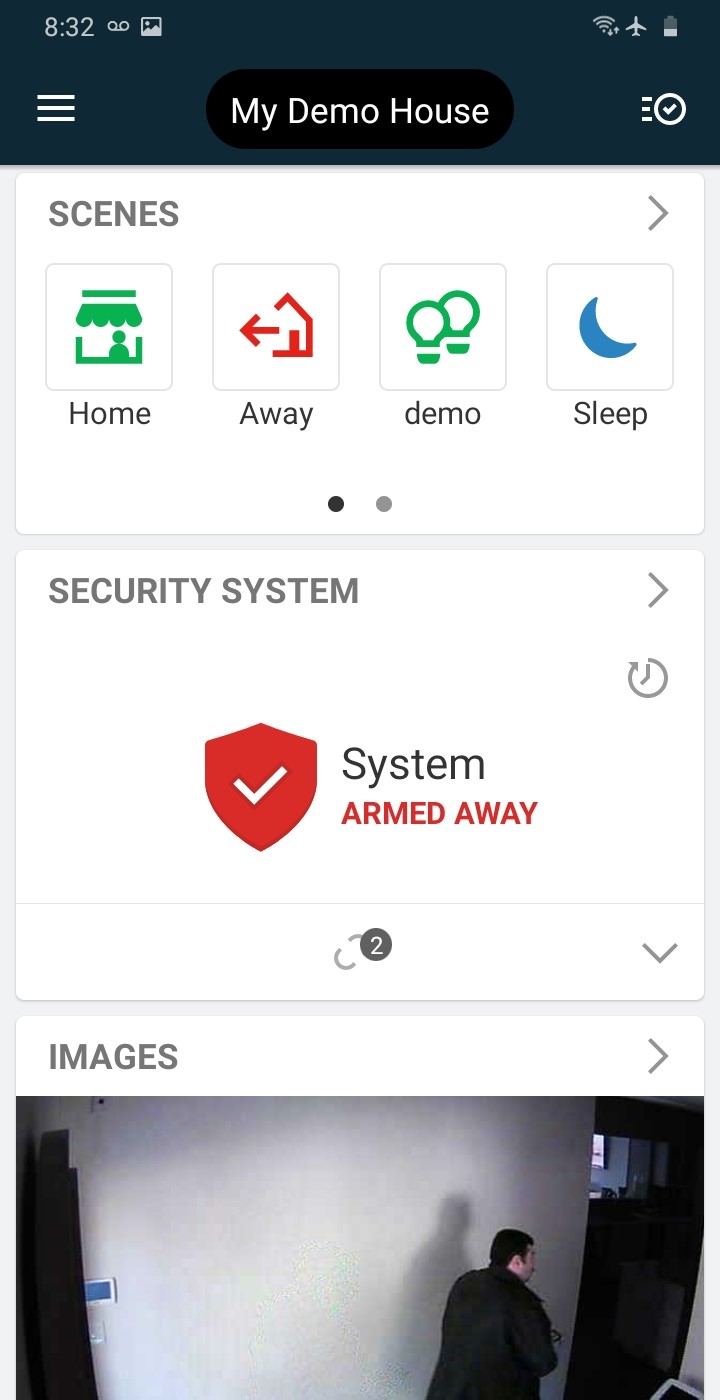
Tap the 3 lines 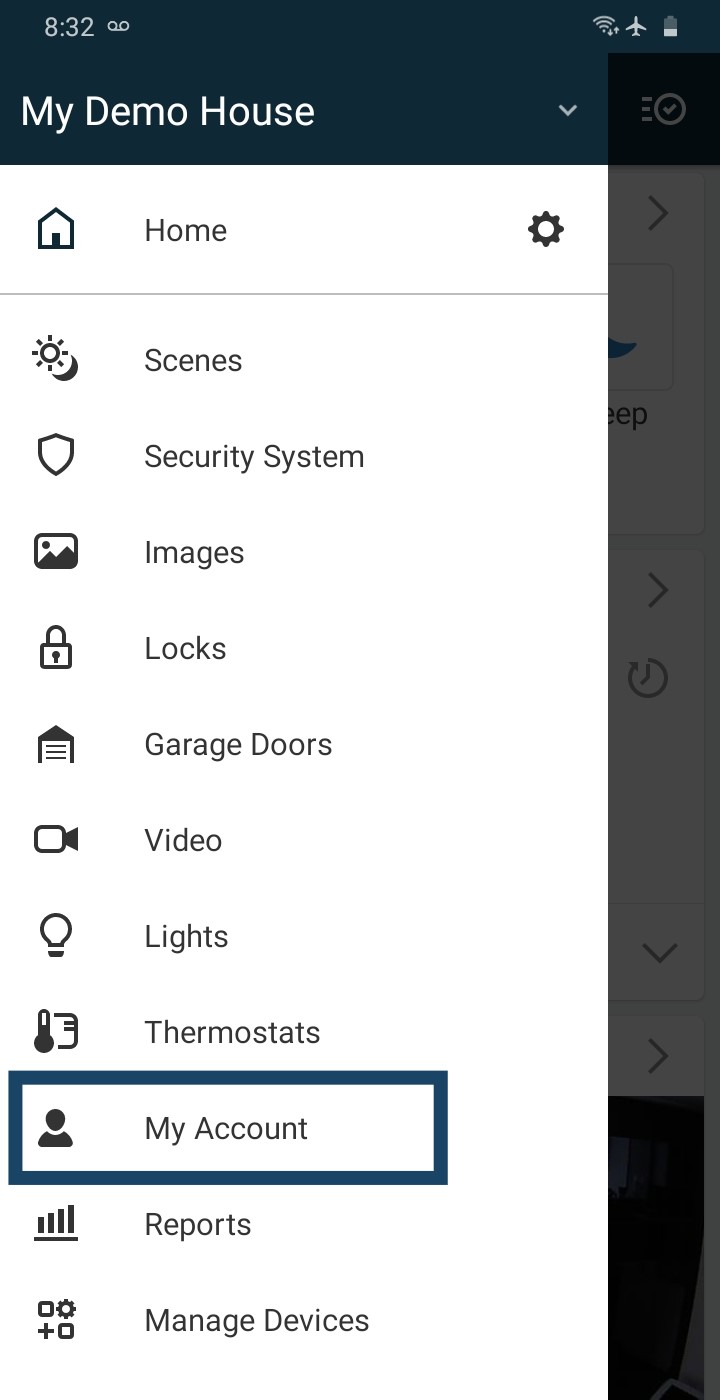
Tap My Account Swipe up to see all the quick links, then tap Paperless Billing.
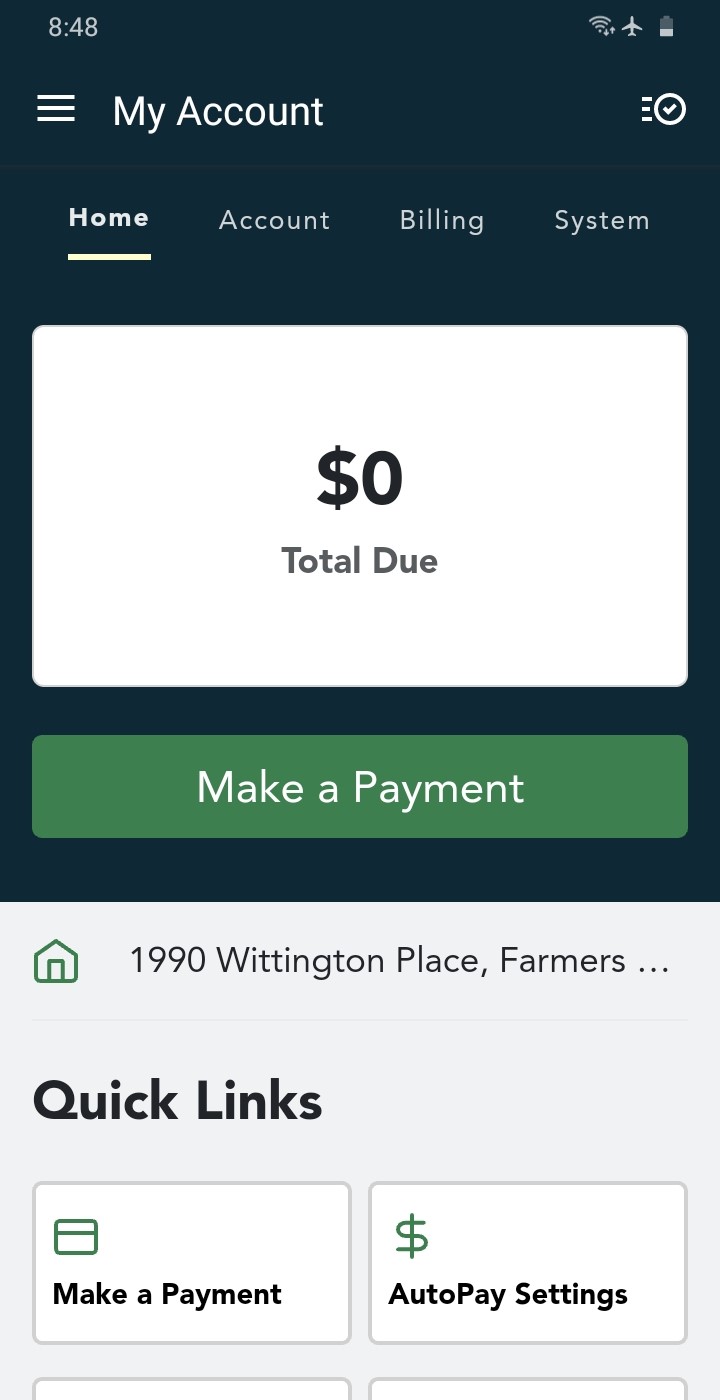
My Account 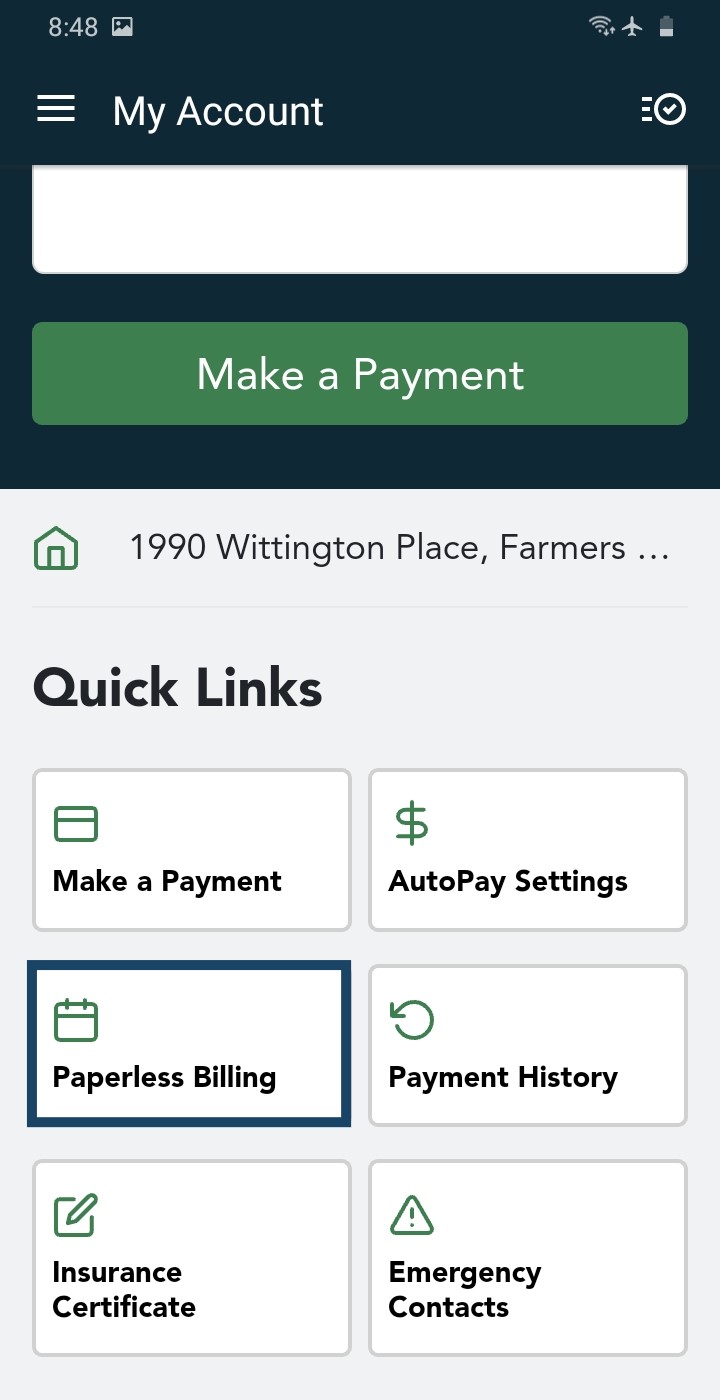
Tap Paperless Billing Read the terms and check the email address shown, then tap Yes, I want to enroll in paperless billing.
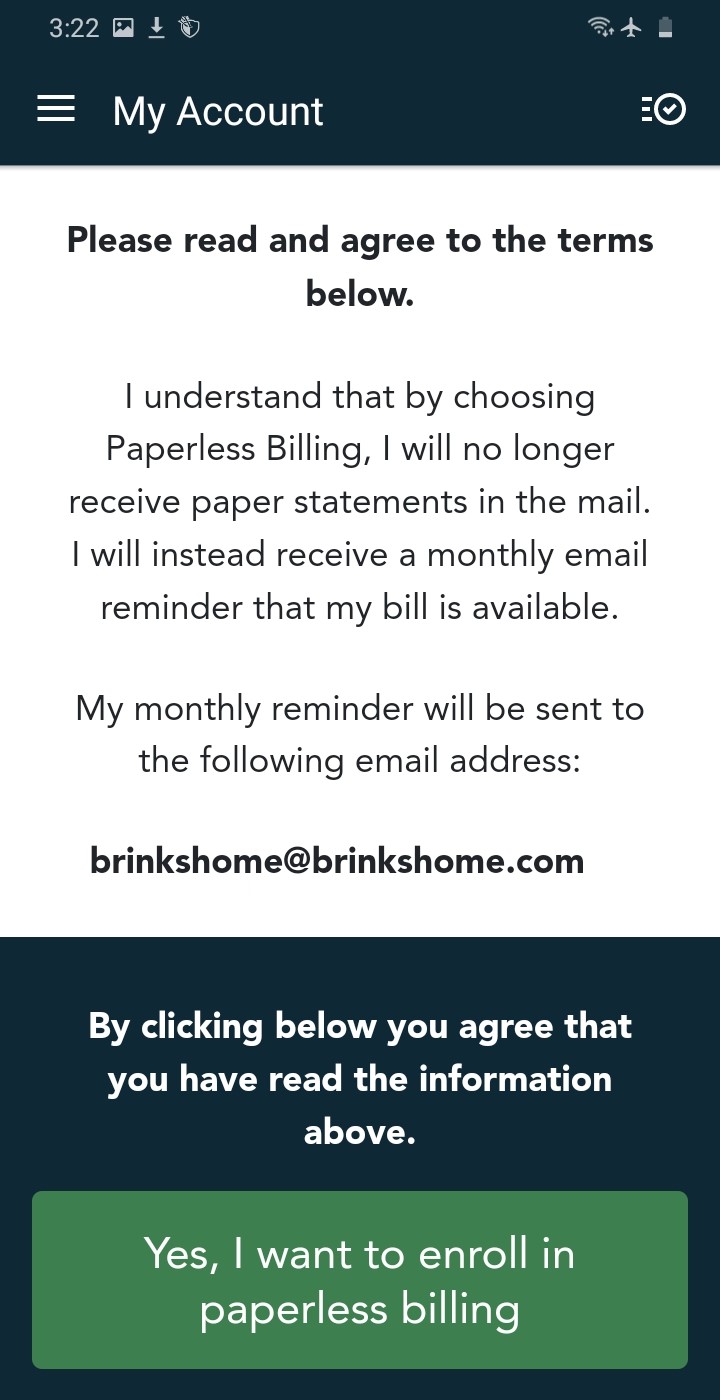
Check your email, then tap Yes, I want to enroll Tap Yes to confirm.
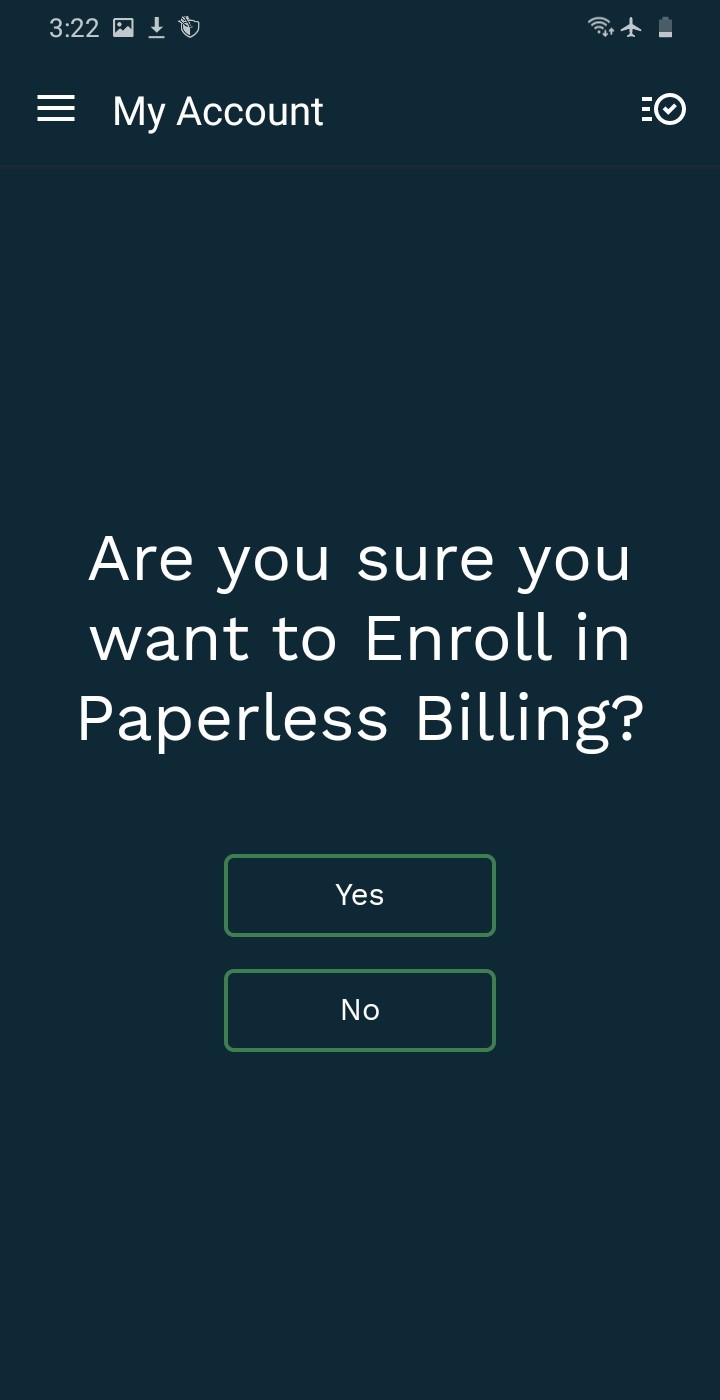
Tap Yes 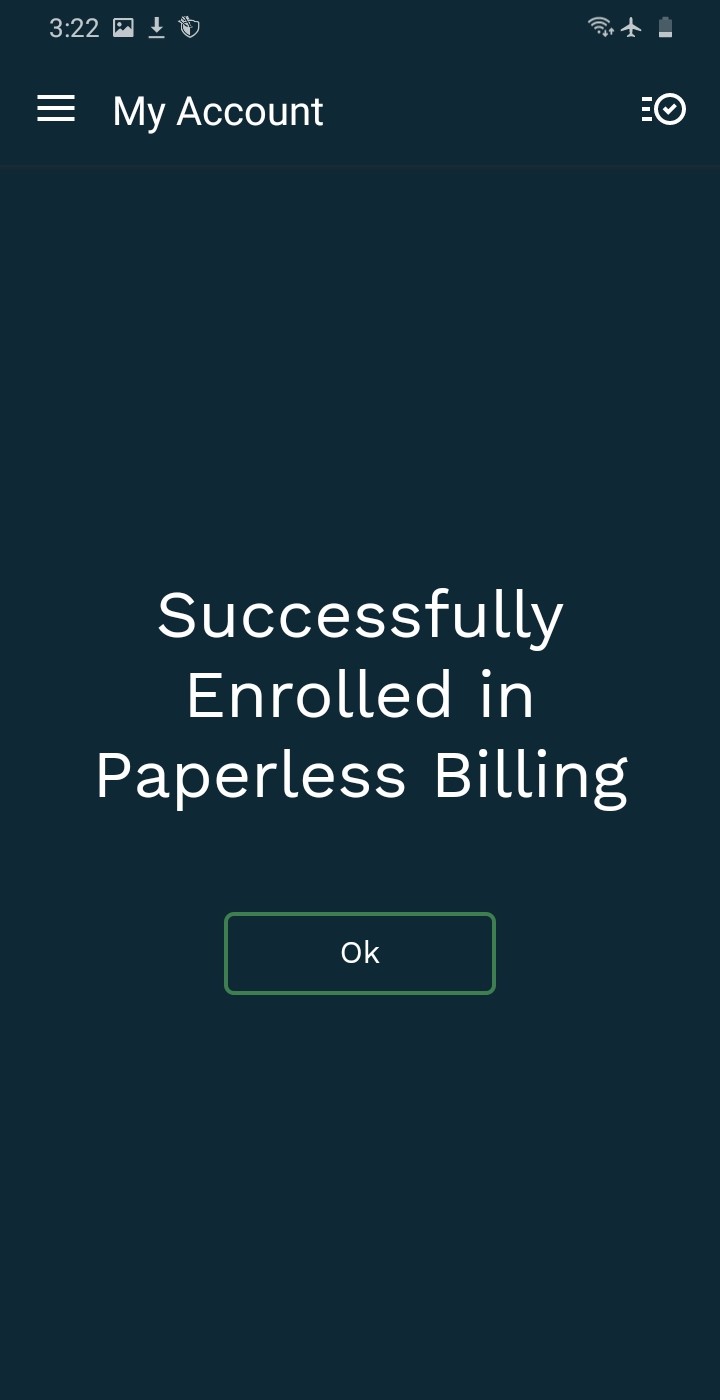
You're enrolled
Switch Back to Paper Statements
Before you switch: Your paper statement comes in the mail with a monthly paper statement fee, and the monthly email reminders stop.
Open Paperless Billing in the app, the same way as steps 1 to 3 above.
Read the terms and check your mailing address, then tap I no longer want to be enrolled in paperless billing.
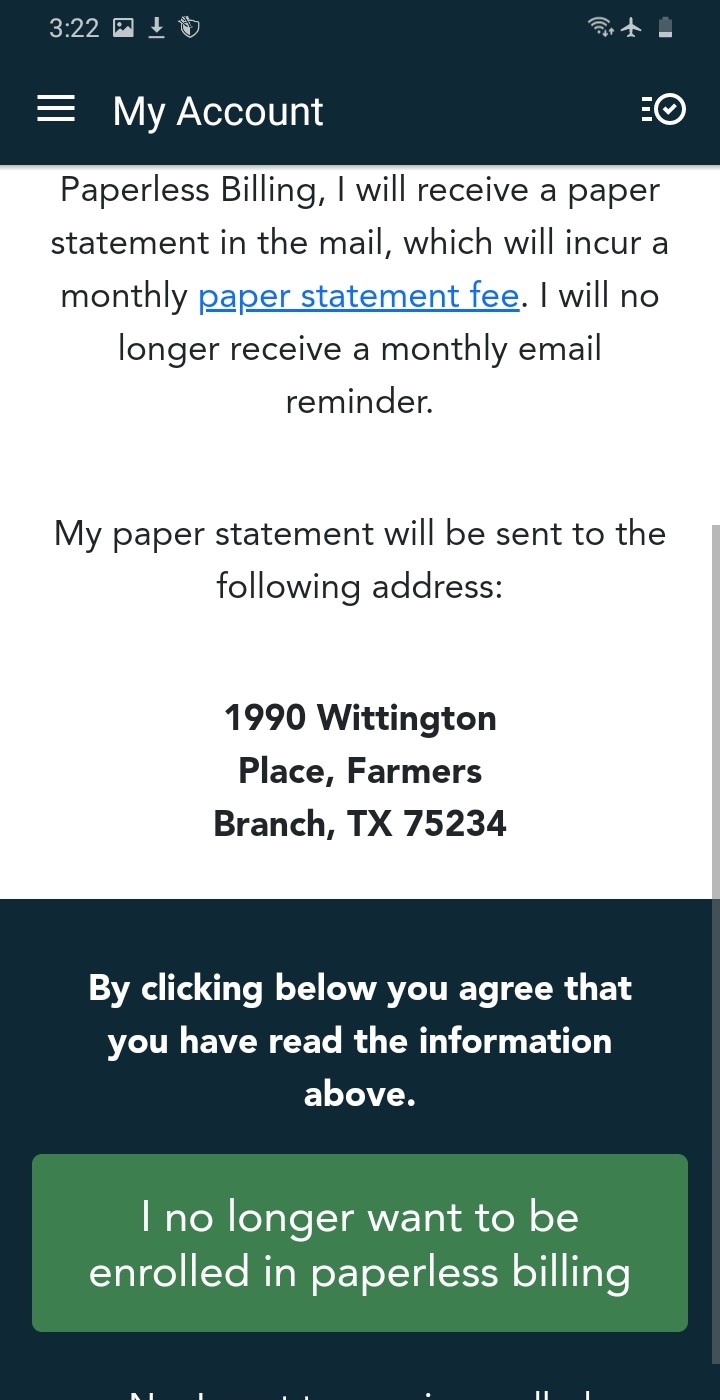
Check your address, then tap the green button Tap Yes to confirm.
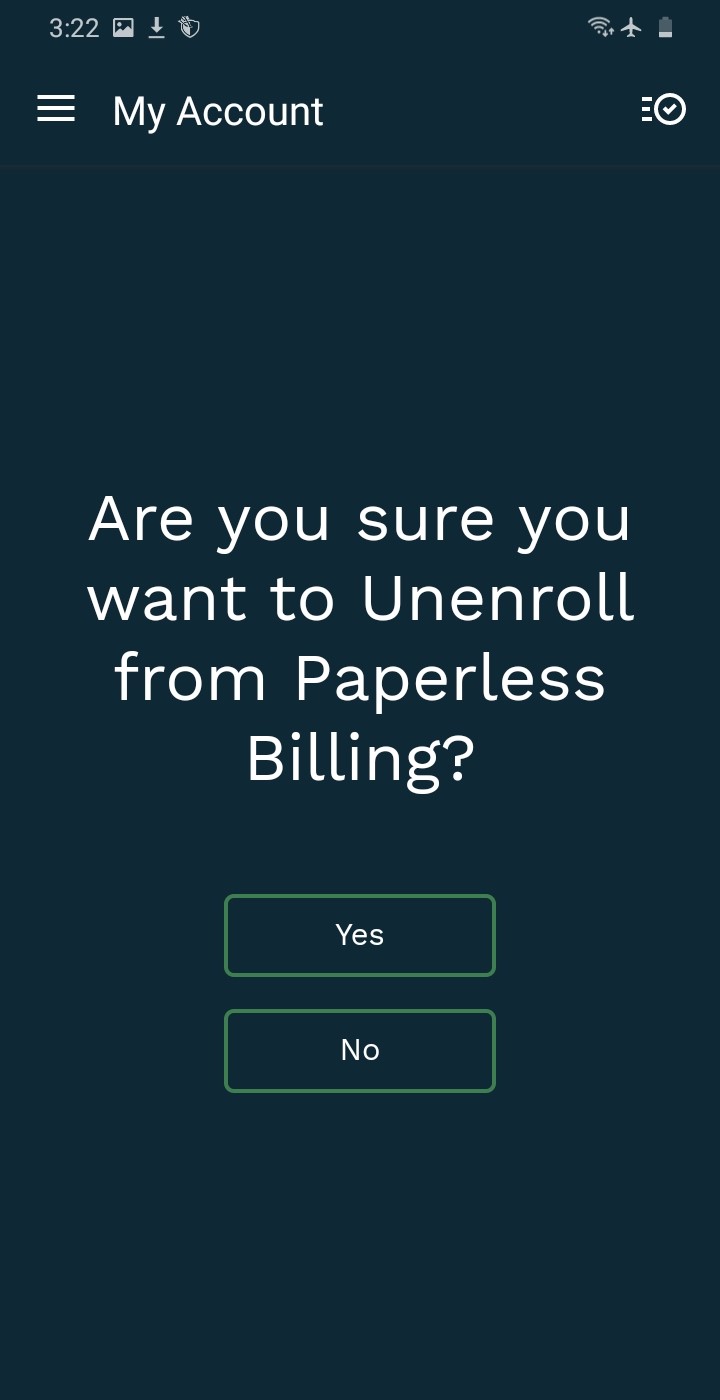
Tap Yes 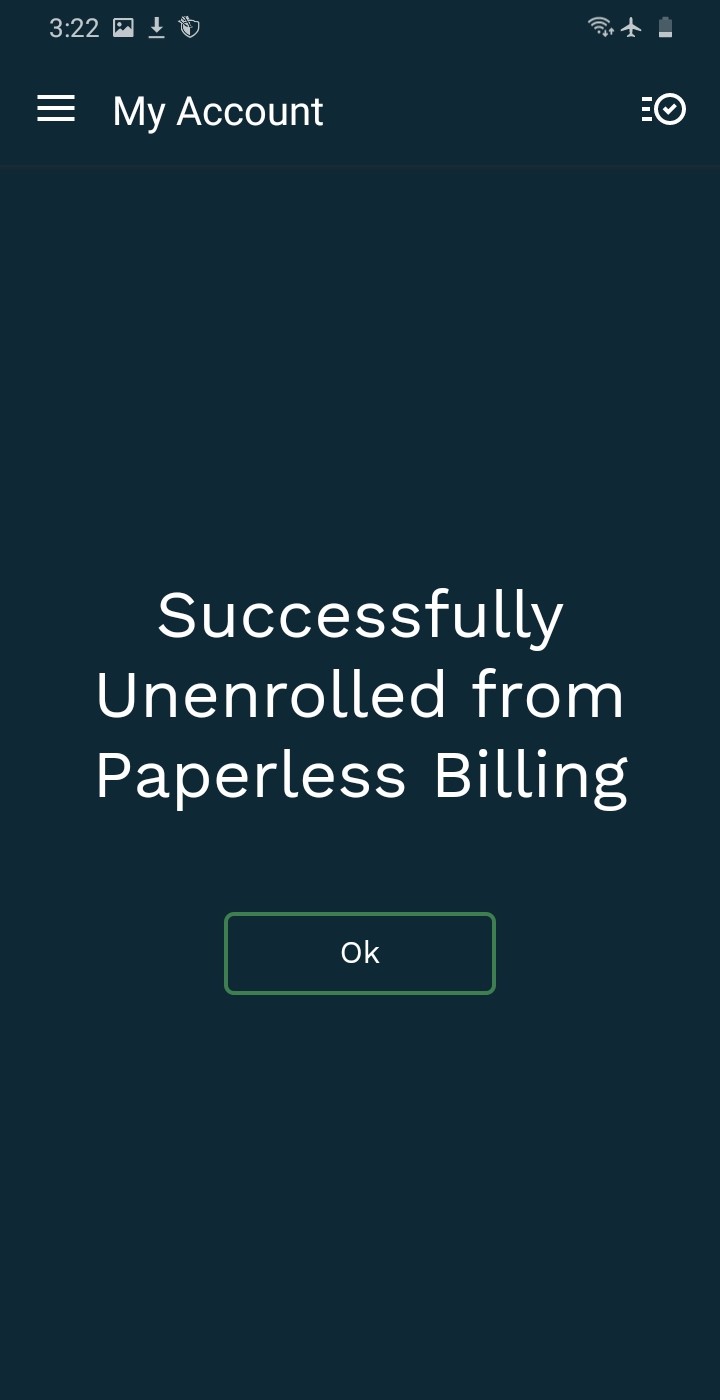
You're back on paper
In the Customer Portal
Sign Up for Paperless Billing
What changes: You'll stop getting paper statements in the mail. Instead, you'll get a monthly email reminder that your bill is ready.
Log in to the Customer Portal, then click Paperless Billing, either in the list on the left or in Quick Links.
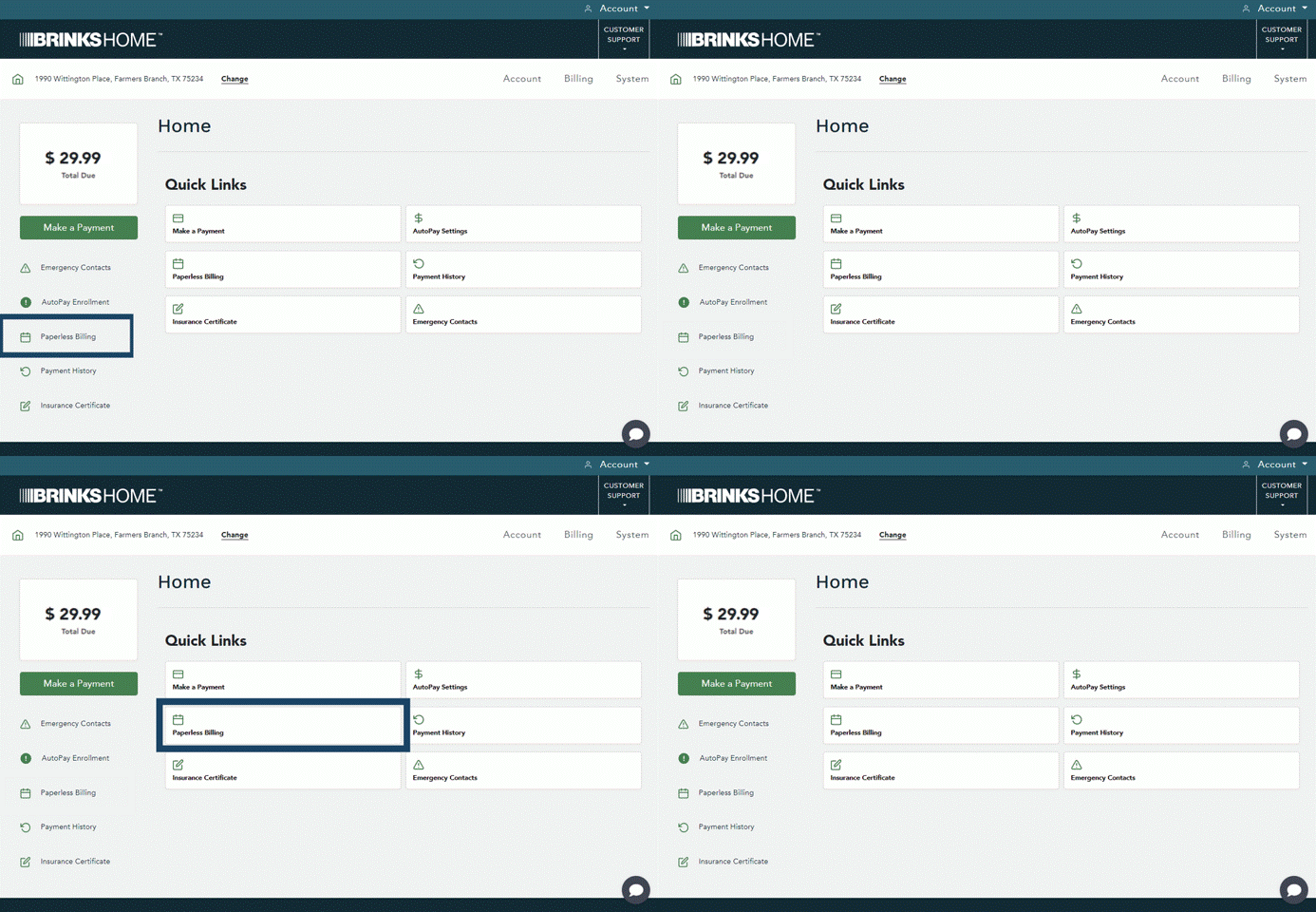
Paperless Billing is in two places (tap to enlarge) Check your email address, then click Yes, I want to enroll in paperless billing.
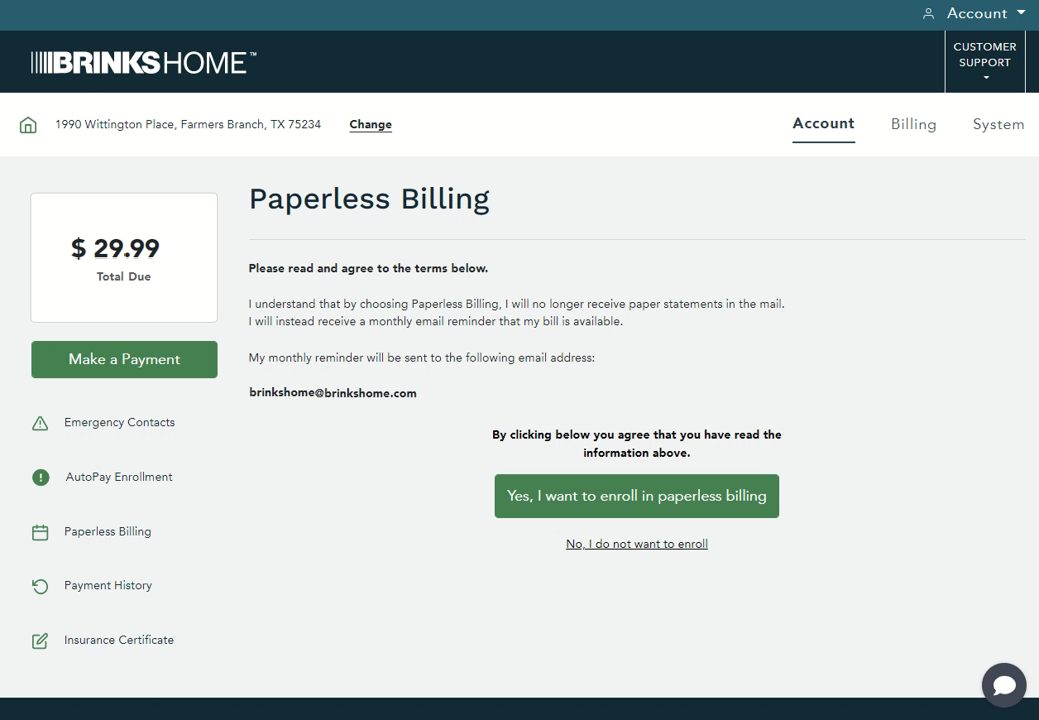
Check your email, then click Yes, I want to enroll (tap to enlarge) Click Yes to confirm.
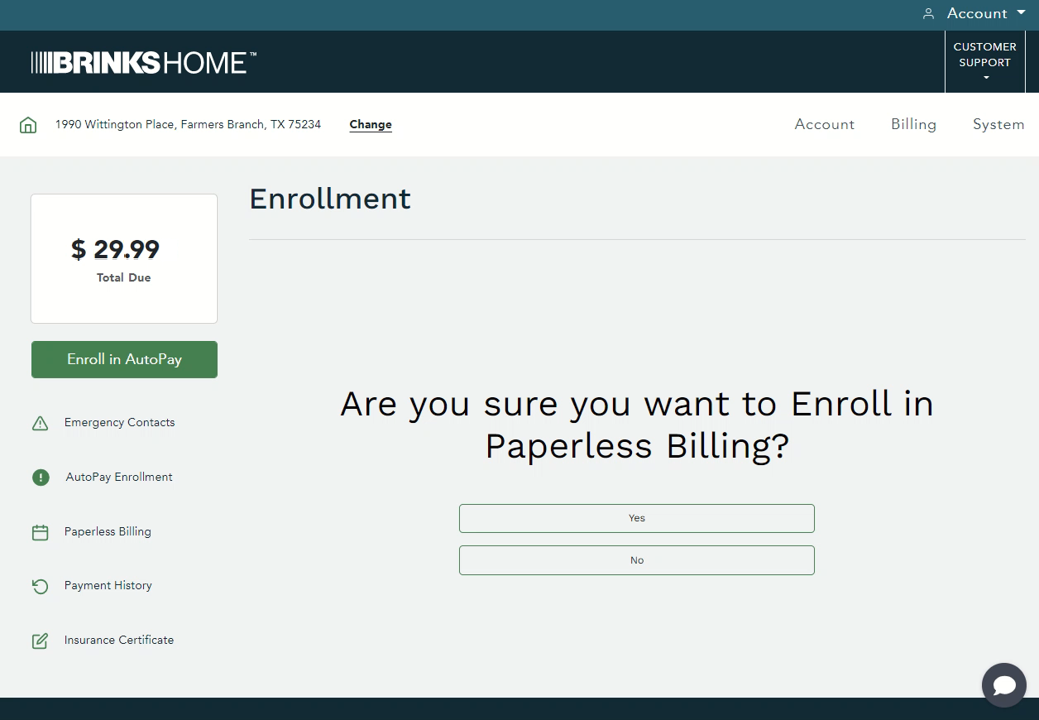
Click Yes (tap to enlarge) A screen shows you're enrolled. Click Ok to finish.
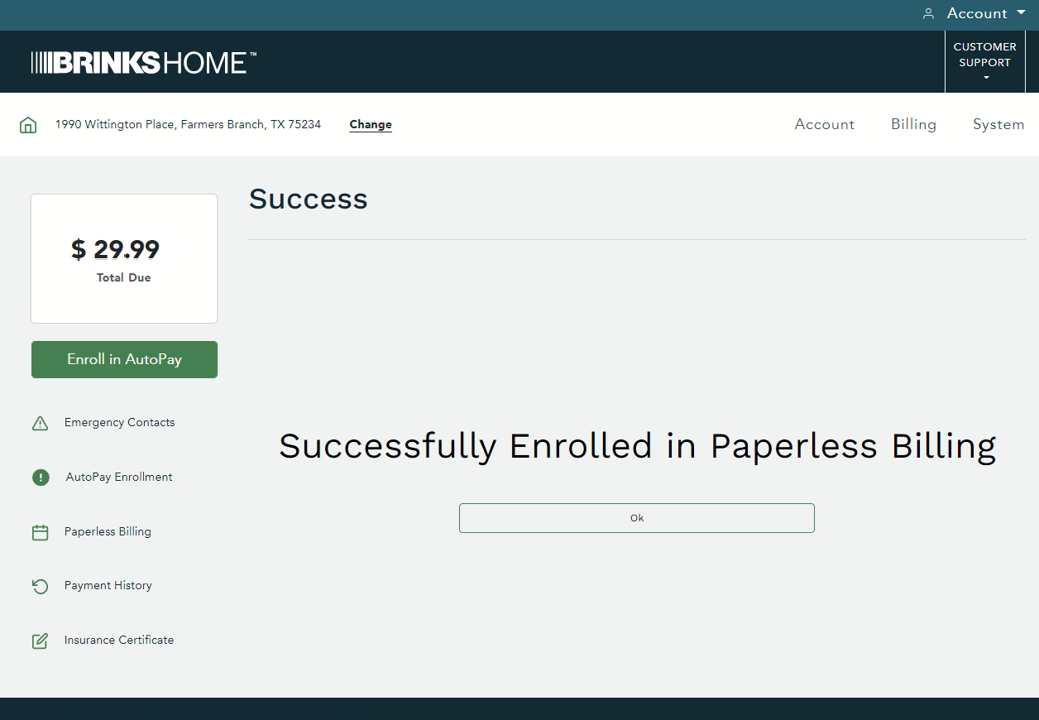
You're enrolled (tap to enlarge)




Switch Back to Paper Statements
Before you switch: Your paper statement comes in the mail with a monthly paper statement fee, and the monthly email reminders stop.
Log in to the Customer Portal, then click Paperless Billing, either in the list on the left or in Quick Links.
Check your mailing address, then click I no longer want to be enrolled in paperless billing.
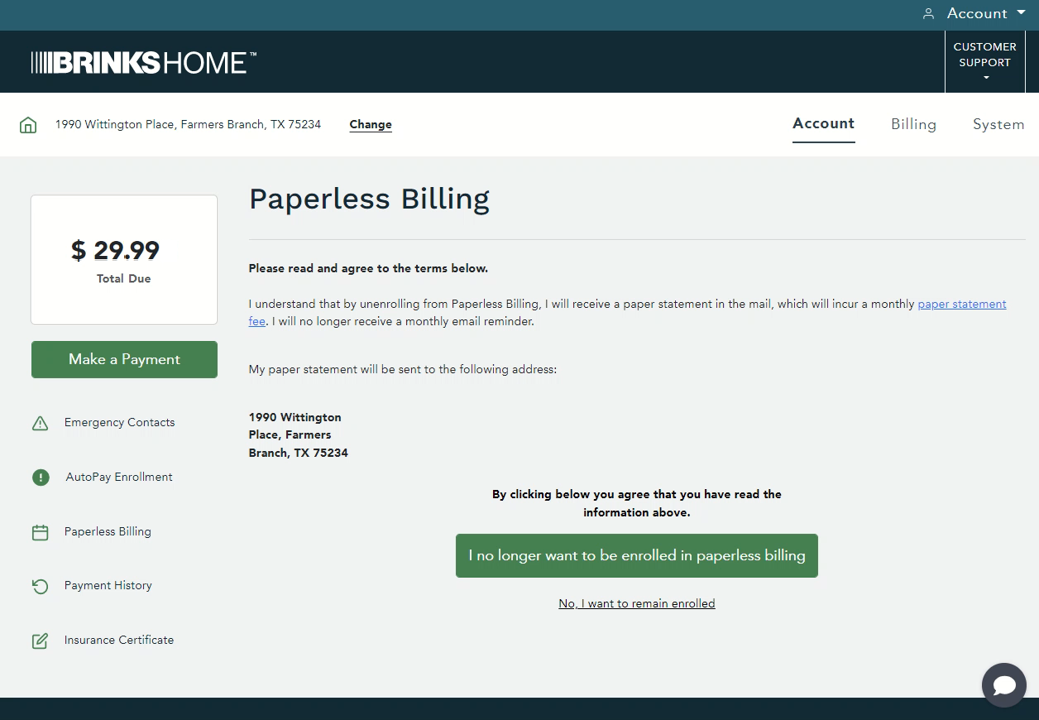
Check your address, then click the green button (tap to enlarge) Click Yes to confirm.
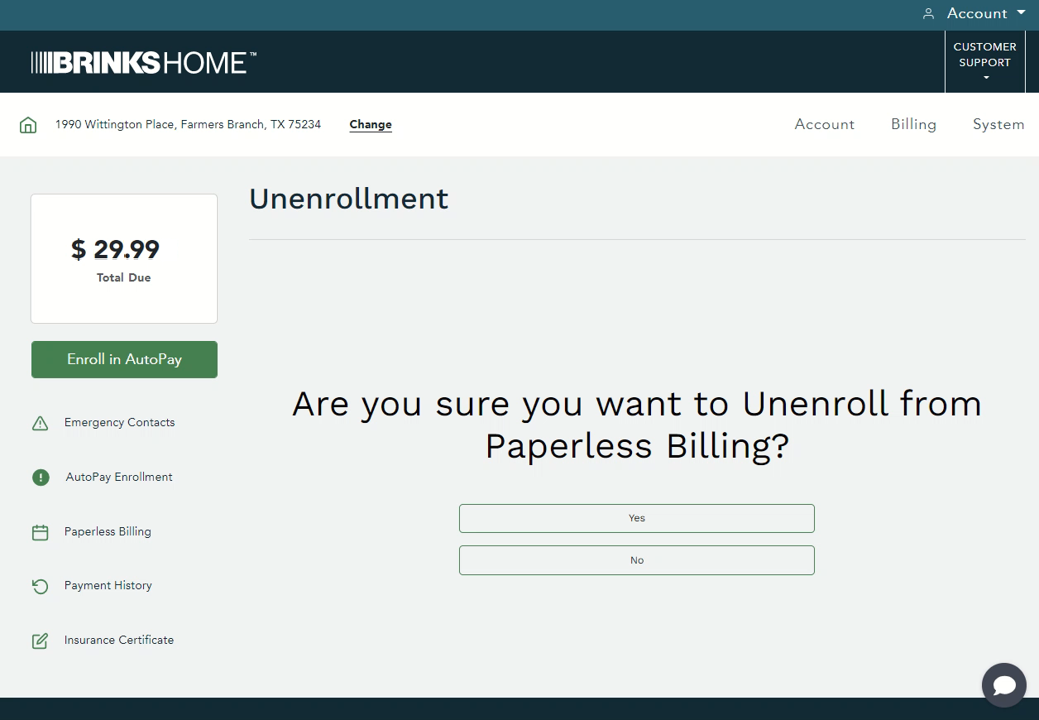
Click Yes (tap to enlarge) A screen shows you're unenrolled. Click Ok to finish.
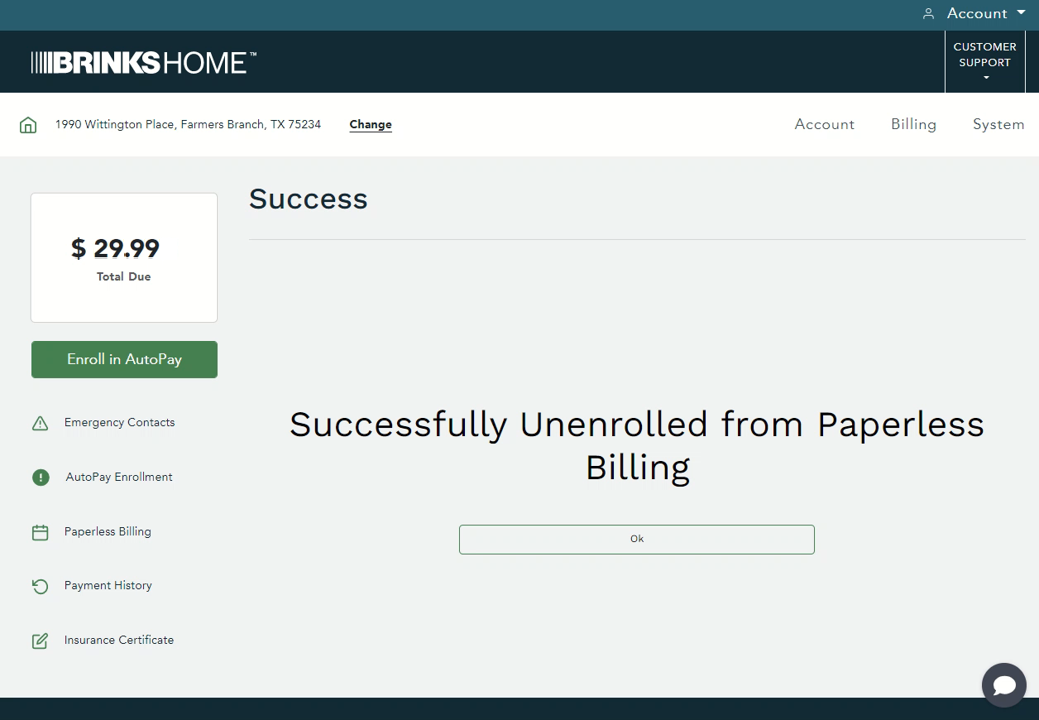
You're back on paper (tap to enlarge)



Not Getting Your Paperless Statement Emails?
- Check your junk and spam folders, and add Brinks Home to your safe sender list.
- Make sure your email address is up to date in your Brinks Home account. You can update it in the app or the Customer Portal (see your account information).
- Email problems can stop the reminders, but your statements are always in the Customer Portal once the billing cycle closes.
Still Need Help?
From your mobile phone, text us at 469.513.8685, or chat with us 24/7 for an immediate response.
Contact Brinks Home™ Support