How to Find Your Billing and Payment History
See the payments and any credits on your account, in the Brinks Home™ App or the Customer Portal.
Looking for your statement? Payment history doesn't include your statement. To download an itemized statement, see how to get your statement.
In the Brinks Home App
Log in to the Brinks Home App.
Tap the 3 lines in the top left corner to open the menu, then tap My Account.
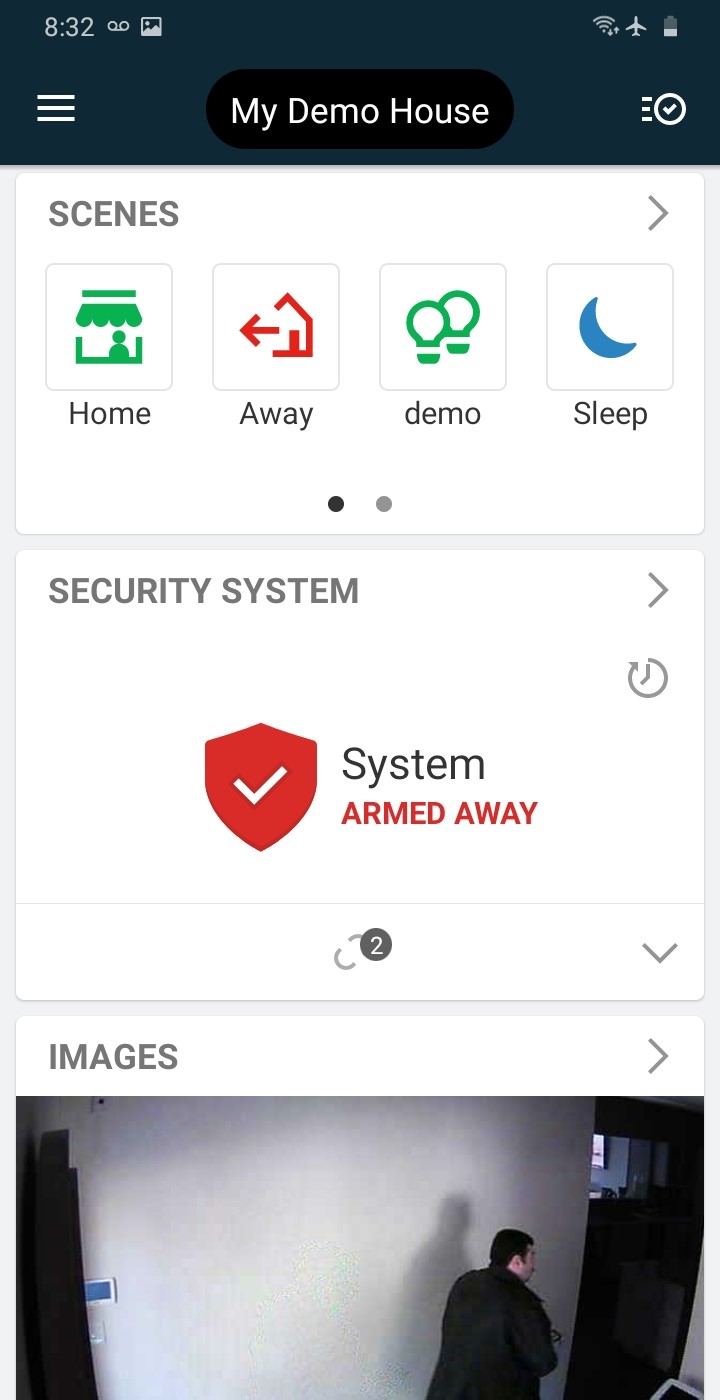
Tap the 3 lines 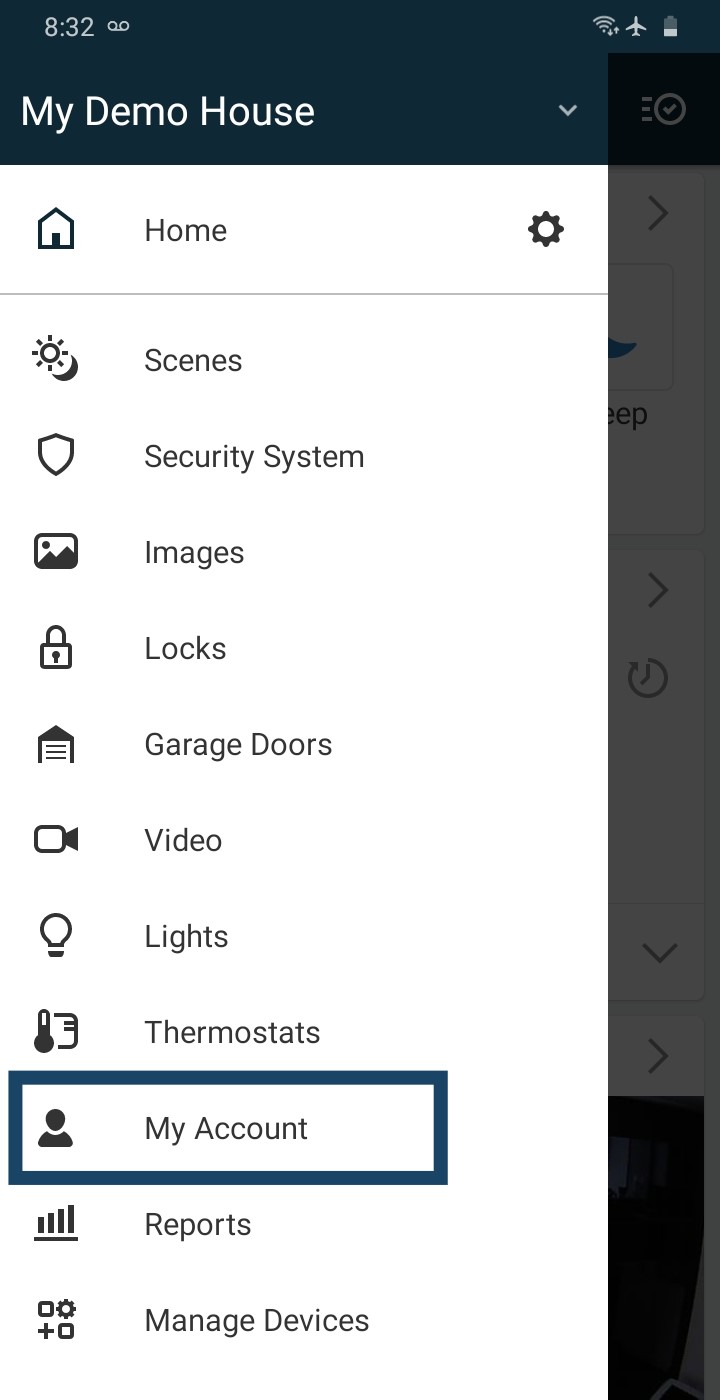
Tap My Account Swipe up to see all the quick links, then tap Payment History.
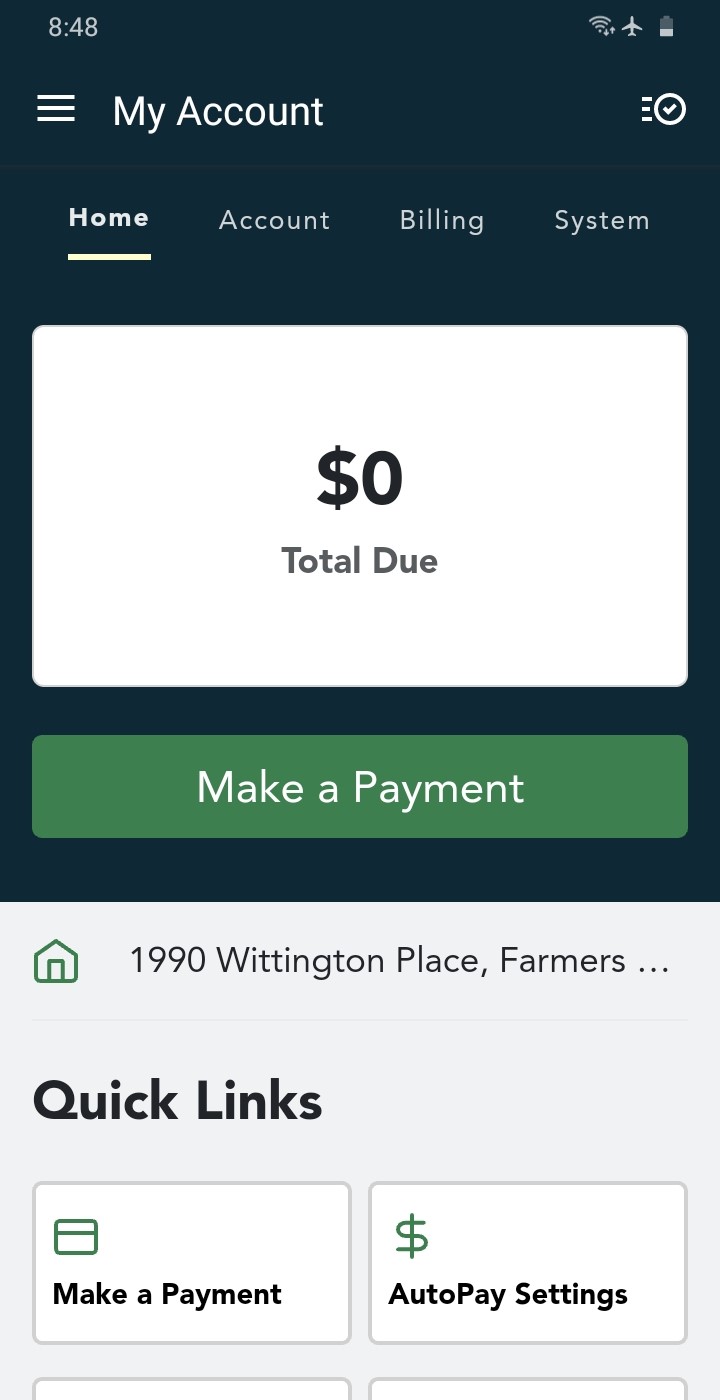
My Account 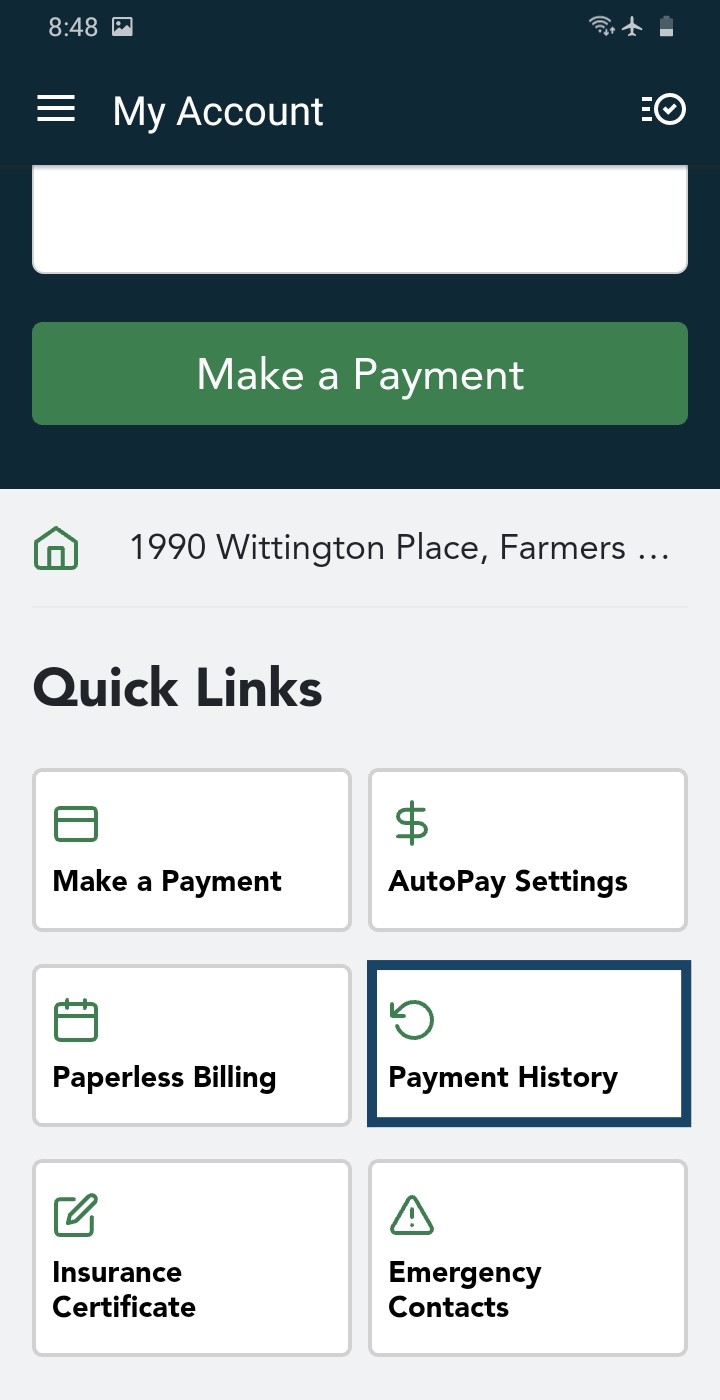
Tap Payment History Your payment history appears, with your payments and any credits.
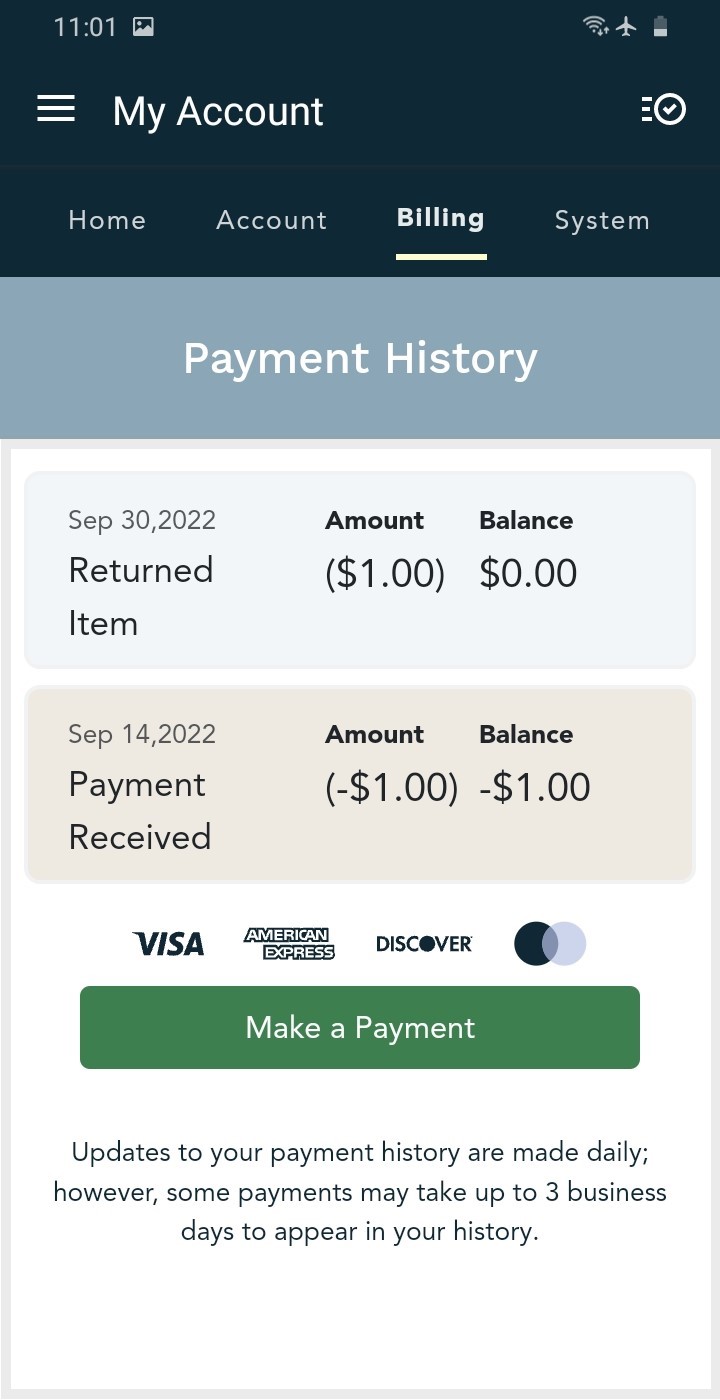
Your payment history
In the Customer Portal
Log in to the Customer Portal. Already logged in? Go straight to your payment history.
On the home page, click Payment History, either in the list on the left or in Quick Links.
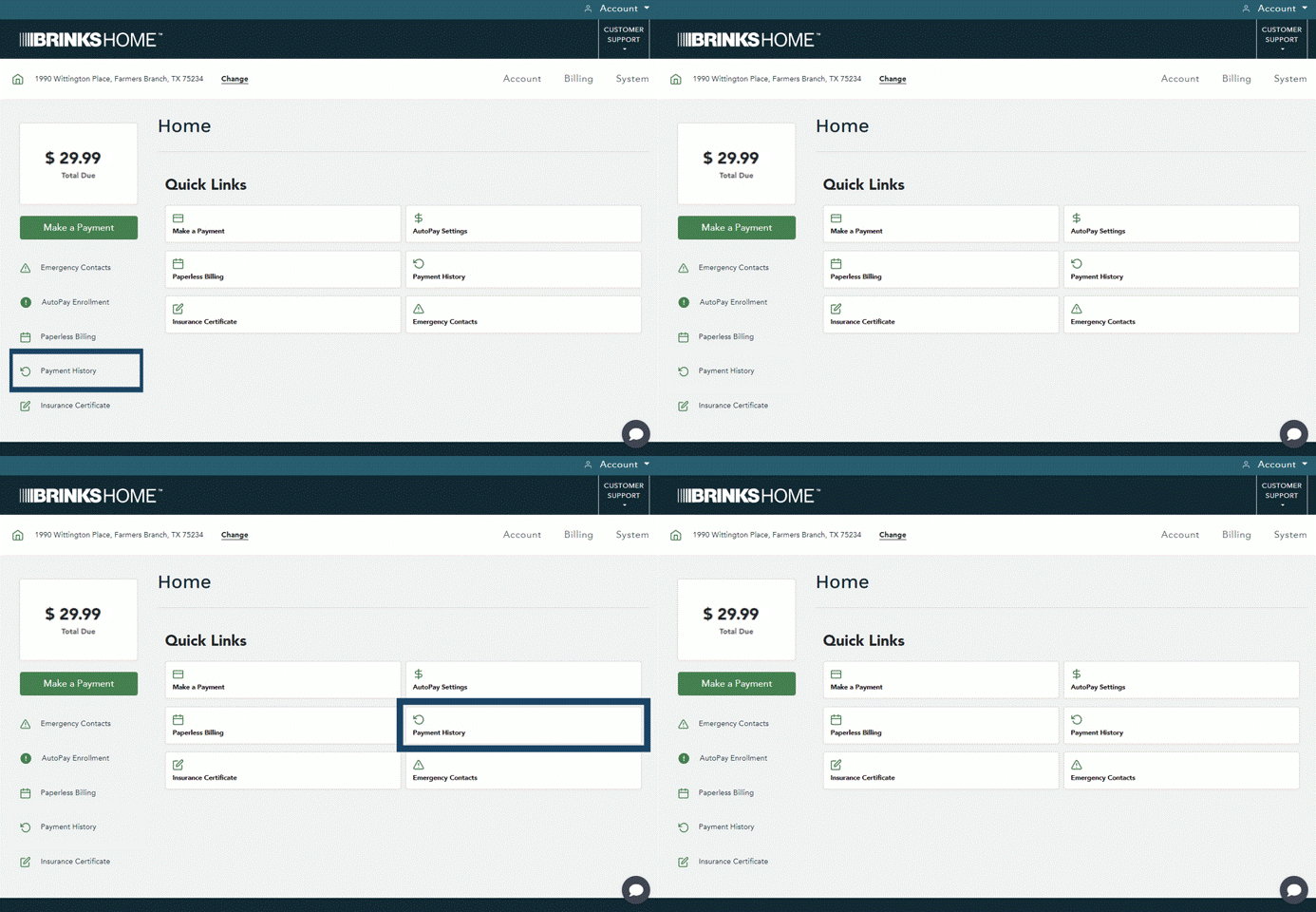
Payment History is in two places (tap to enlarge) Your payment history appears, with your payments and any credits.
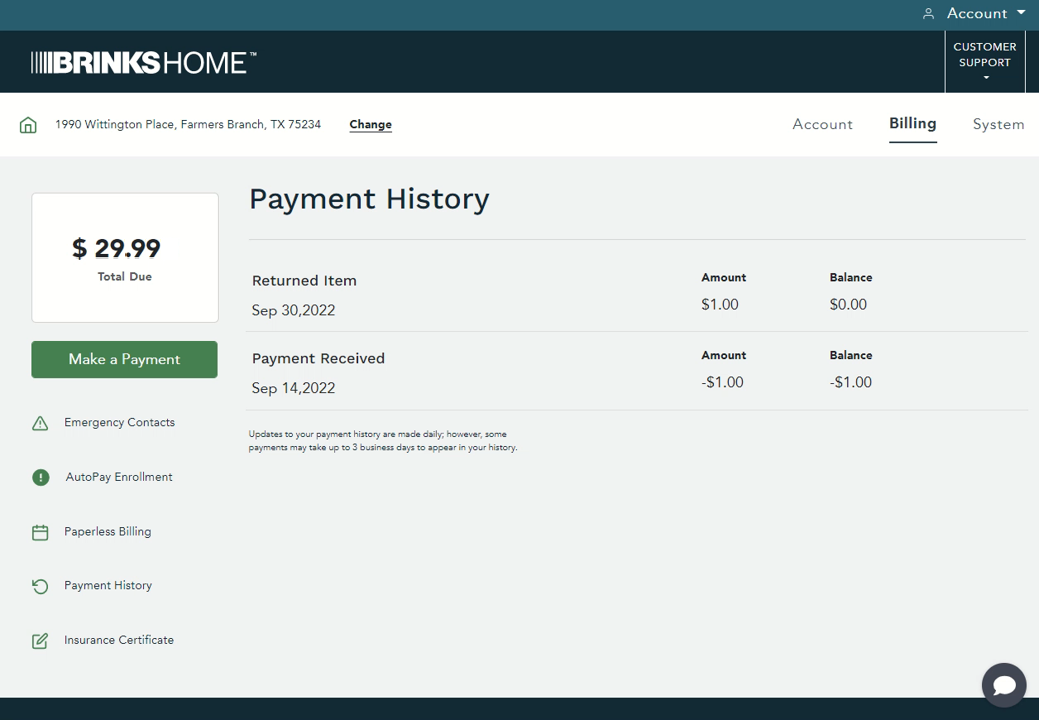
Your payment history (tap to enlarge)


Just made a payment? Updates to your payment history are made daily, but some payments can take up to 3 business days to show up.
For more billing help, see the Billing section of the Help Center, or from your mobile phone, text a Support Representative any time at 469.513.8685.
Still Need Help?
Can't log in, or don't see a payment you expected? Our support team can help.
Contact Brinks Home™ Support